
Two-factor authentication adds a second kind of proof to your sign-in. If someone steals your password, they still need the other factor before they can access your account.
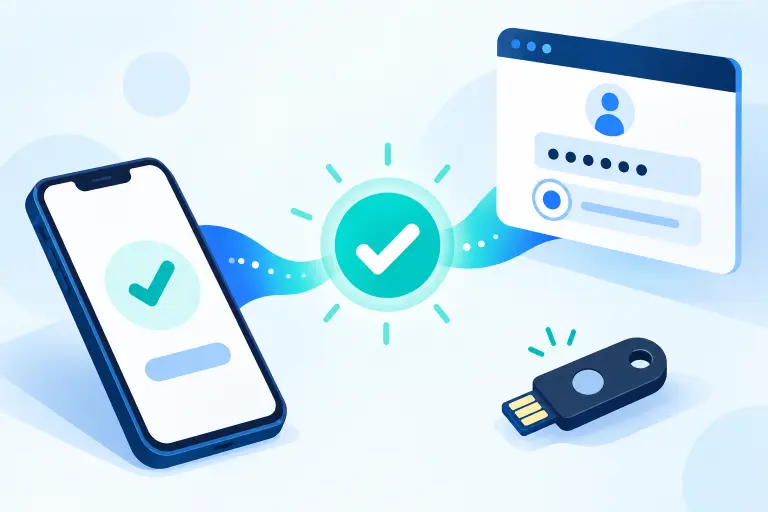
What is two-factor authentication?
Two-factor authentication—usually shortened to 2FA—requires two different types of evidence before an account grants access. It is one form of multi-factor authentication, or MFA.
A familiar example is entering a password and then approving a prompt on a registered phone. The password is something you know. Control of the registered device is something you have. An attacker who learns only the password has not completed both checks.
That additional check matters because passwords can be reused, guessed, exposed in a breach, captured by malicious software, or surrendered to a convincing phishing page. CISA recommends enabling MFA because it makes account access more difficult even when a password has been compromised.
However, 2FA is not an invisibility cloak. Its strength depends on the method, the safety of the enrolled devices, and the account’s recovery process. A fake login page can sometimes capture a password and a manually entered one-time code in the same attack. That is why phishing-resistant options deserve priority when they are available.
The three authentication factor types
NIST groups authentication factors into three broad categories:
- Something you know: a password, passphrase, or PIN.
- Something you have: a registered phone, authenticator, smart card, passkey, or hardware security key.
- Something you are: a biometric characteristic such as a fingerprint or face measurement.
True 2FA combines two different categories. A password followed by another PIN is two steps, but both are knowledge factors, so the combination is not two-factor authentication. NIST explicitly notes that multiple examples of the same factor remain single-factor authentication.
Common 2FA methods compared
Services do not always offer every method. The best practical choice is generally the strongest option that the account supports and that you can recover reliably.
| Method | How it works | Main advantage | Important limitation |
|---|---|---|---|
| Passkey or security key | A cryptographic credential responds only for the legitimate service. | Strong phishing resistance | Support and recovery options vary; spare access should be planned. |
| Number-matching push | Your registered app asks you to match or enter a number shown during sign-in. | Good usability | Never approve a request you did not initiate. |
| Authenticator app code | An app generates a short time-based code, commonly refreshed every 30 seconds. | Works offline | A phishing page can relay a code entered by the user. |
| SMS or voice code | The service sends a one-time code to a registered phone number. | Widely available | Phone-number transfers, interception, coverage, and phishing create added risks. |
| Email code | A code or approval link is sent to an email account. | Easy to access | Protection depends heavily on the security of that email account. |
| Recovery code | A previously generated one-time code restores access when the normal method is unavailable. | Emergency access | Anyone who obtains an unused code may be able to use it. |
Passkeys and hardware security keys
FIDO/WebAuthn credentials use public-key cryptography and are tied to the legitimate website or application. This domain binding is what makes them resistant to ordinary credential-phishing pages. A passkey can be synchronized through a credential provider or kept on a particular device or hardware security key.
Device-bound security keys offer strong control and can be valuable for high-risk accounts, but losing the only enrolled key can create a recovery problem. Enroll a second key or another appropriately strong recovery method when the service allows it.
Authenticator app codes
Many authenticator apps use the Time-based One-Time Password standard, or TOTP. During setup, the service and the authenticator share a secret—often transferred through a QR code. The app uses that secret and the current time to generate matching short-lived codes.
TOTP is convenient and does not require cellular service. Its setup QR code and underlying secret must be protected: someone who copies the secret may be able to generate the same codes. Never paste an authenticator QR code or secret into an unfamiliar website.
Manually entered OTP codes are not phishing-resistant. NIST explains that an impostor site can capture and relay an authentication output because the code is not cryptographically bound to the intended sign-in session.
Push notifications
A push method sends a sign-in request to a registered application. A simple Approve/Deny prompt can be vulnerable to authentication fatigue: an attacker sends repeated prompts hoping the user eventually accepts one. Number matching helps because the user must connect the prompt to the sign-in displayed on another screen.
If you receive an unexpected prompt, deny it. Do not approve it merely to make repeated notifications stop.
Text messages and phone calls
SMS is broadly supported and familiar, but it relies on a phone number and the public telephone network. Risks include fraudulent number transfers, SIM changes, message interception, and real-time phishing. NIST treats public-telephone-network authentication as restricted and advises services to consider signals such as SIM changes and number porting.
That does not mean you should leave an account password-only when SMS is the sole additional option. For many ordinary users, SMS still creates another obstacle for an attacker. Use a stronger method when the service provides one, and protect the mobile-carrier account with its own PIN or security controls.
Is 2FA the same as MFA?
2FA means exactly two factors. MFA is the broader category and can require two or more factors. In everyday product interfaces, companies sometimes use “two-step verification,” “2FA,” and “MFA” loosely.
The label matters less than what the process actually verifies. Ask two questions:
- Does the sign-in require genuinely different factor types?
- Can a phishing site capture or relay what I provide?
How are passkeys different from 2FA?
A passkey is a password-replacement credential based on public-key cryptography. Instead of typing a reusable password, you approve use of a credential held by a phone, computer, credential manager, or security key. The legitimate service stores a public key; the private key remains protected by the user’s passkey provider or device.
A passkey is not simply another six-digit 2FA code. It may replace the password entirely, and the device may require a PIN or biometric check before using it. FIDO describes both synchronized passkeys, which can become available across a user’s devices, and device-bound passkeys, which remain on a particular authenticator.
Passkeys are designed to resist phishing at sign-in because the credential is scoped to the legitimate service. Account enrollment and recovery still matter: a service that allows a weak fallback path can undermine an otherwise strong login method.
How to set up 2FA safely
Start with the accounts that unlock others
Protect your primary email, password manager, financial accounts, cloud storage, and mobile-carrier account first.
Choose the strongest practical method
Prefer a passkey or security key when supported. Otherwise consider number-matching push or a reputable authenticator app before SMS.
Verify the service and setup screen
Begin from the official app or a known website address. Do not scan a QR code delivered by an unexpected message.
Create a recovery path
Generate recovery codes, enroll a spare key or device when appropriate, and confirm that account-recovery information is current.
Store recovery material separately
Keep recovery codes somewhere protected and accessible if the primary device is lost. Do not leave the only copy on that same device.
Test before signing out everywhere
Open a private browser window and confirm the new method works. Verify recovery options before removing an old phone or authenticator.
Recovery codes and avoiding lockouts
Security protects an account only if the legitimate owner can still recover from a lost, damaged, replaced, or reset device. Recovery codes are usually single-use emergency credentials. Treat them like passwords: keep them private, do not send them through chat or email, and mark or replace codes after use.
A sensible recovery plan may include:
- Recovery codes stored separately from the everyday authenticator
- A second enrolled hardware key for important accounts
- Another trusted device already signed in
- Current recovery contact information
- A documented device-migration or authenticator-export process
Common 2FA mistakes
- Saving recovery codes only on the protected phone. A lost phone then removes both normal and emergency access.
- Approving an unexpected prompt. A real-looking notification does not prove you initiated the sign-in.
- Sharing a setup QR code. It can contain the secret used to generate future authenticator codes.
- Assuming every second step is a second factor. Two knowledge checks are still the same factor category.
- Keeping old devices enrolled indefinitely. Review registered authenticators after replacing or losing a device.
- Ignoring account recovery. A strong sign-in paired with weak recovery can leave a route around the protection.
Frequently asked questions
Select a question to open or close its answer.
Is 2FA the same as MFA?
2FA is a type of multi-factor authentication that uses exactly two factors. MFA is the broader term and can require two or more factors.
Is an authenticator app safer than SMS?
An authenticator app generally avoids risks tied to phone-number transfers and text delivery. However, a code that you manually enter can still be stolen by a convincing phishing site. A passkey or security key offers stronger phishing resistance when supported.
What happens if I lose my phone?
Your recovery options depend on the service and authenticator. Saved recovery codes, another enrolled device, a backup security key, or a verified account-recovery method may help. Set up and test recovery options before losing access.
Are passkeys a form of 2FA?
A passkey is a password-replacement credential based on public-key cryptography. Depending on how a service and device use it, a passkey can provide one or multiple authentication factors, but it is not simply another six-digit 2FA code.
Should I turn on SMS 2FA if it is the only option?
For most ordinary accounts, SMS 2FA can still add protection compared with relying on a password alone. Prefer a passkey, security key, or authenticator option when the service supports one, and keep your recovery information current.
Sources and further reading
- NIST Digital Identity Model: authentication factors
- NIST SP 800-63B: authenticator requirements and phishing resistance
- NIST SP 800-63B: threats and security considerations
- CISA: Require Multifactor Authentication
- CISA: More than a Password
- FIDO Alliance: Passkeys
- Google Account Help: Sign in with backup codes
This guide provides general educational information and does not replace the official security or recovery instructions for a particular service.